
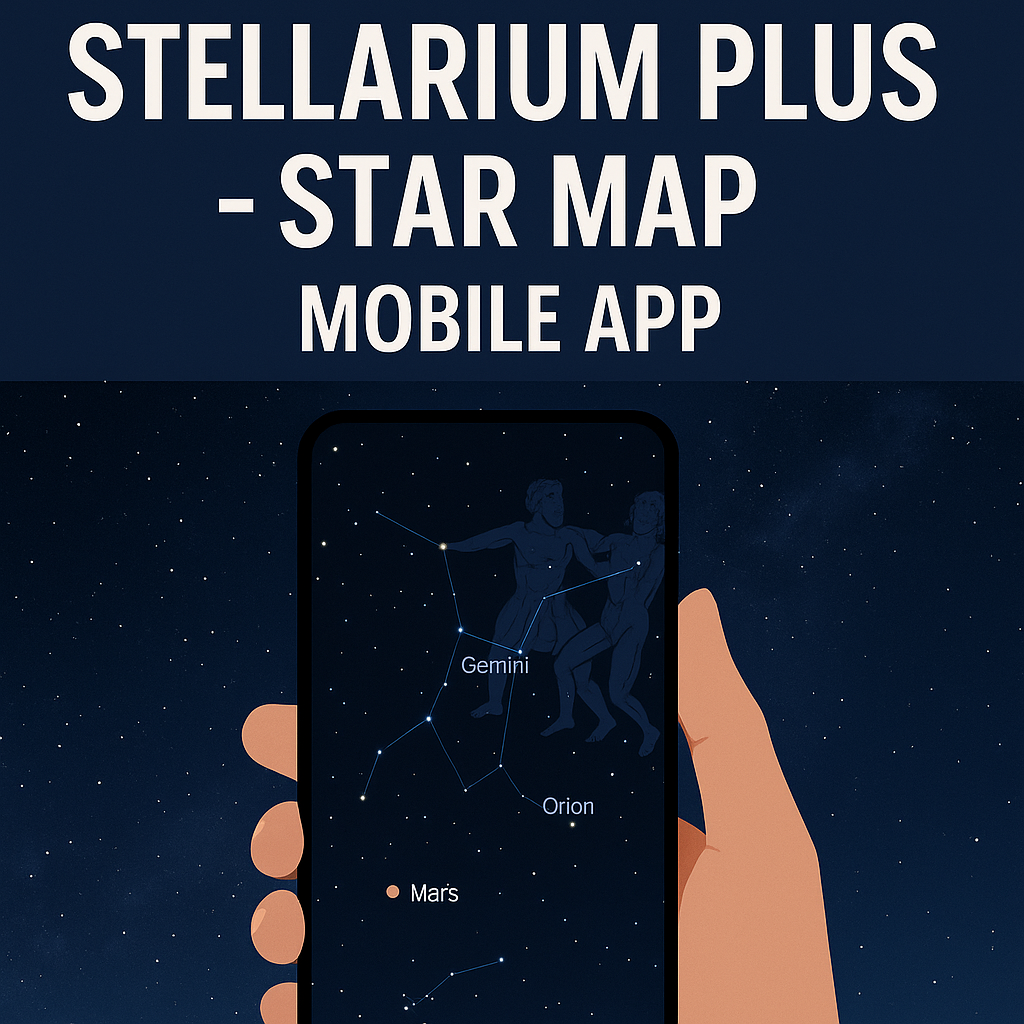
Stellarium Plus – Star Map (Android App)
A Real User’s Review, Photos, Experience & FAQ


There are few things more humbling than looking up at the night sky. For centuries, people have tried to understand the stars with maps, charts, telescopes, and endless imagination. Today, we have something far more convenient: powerful stargazing apps that fit in the palm of our hand. Among them, Stellarium Plus – Star Map stands out as one of the most polished and feature-rich planetarium apps available on Android.
I’ve spent a good amount of time exploring this app—on rooftop nights, camping trips, and even during cloudy evenings when I just wanted to wander through the cosmos virtually. After all that time, I’ve developed a clear sense of what Stellarium Plus does exceptionally well… and where it could improve.
Here’s my full, human-written, hands-on review: how it works, who it’s for, what makes it special, what could be better, and whether it’s worth the price.
What Exactly Is Stellarium Plus?
If you’re new to astronomy apps, think of Stellarium Plus as a pocket-sized planetarium. You point your phone at the sky, and it instantly shows you what’s up there—stars, constellations, planets, satellites, galaxies, and more.
But Stellarium Plus isn’t just a casual sky browser. It’s built on the foundation of the well-known Stellarium desktop software, which is used even by amateur astronomers and students. The Plus version for Android aims to take the accuracy, detail, and beauty of that professional-grade planetarium and bring it to your smartphone.
In short:
It’s powerful enough for serious astronomy, but simple enough that even kids can use it in minutes.
First Impressions
When you first launch Stellarium Plus, the interface immediately feels clean and elegant. There are no cluttered menus or over-the-top animations—just a beautifully rendered sky that moves as you tilt your phone.
Everything feels smooth, natural, and responsive. It doesn’t overwhelm you with scientific jargon, but the information is always there if you want to dig deeper.
As soon as I pointed my phone upward, the sky map aligned surprisingly accurately with the real night sky. Stars appear where they should, planets glow softly, constellations snap into shape, and satellites drift across the screen in real time.
It feels magical the first time you try it.
The Standout Features
1. Real-Time Sky Tracking
This is the heart of the app. Your phone’s sensors work together with Stellarium’s sky simulation so that when you point your device at the night sky, the app mirrors exactly what you’re seeing.
For beginners, this means you can finally answer questions like:
- “What’s that bright star near the moon?”
- “Is that planet Jupiter or Venus?”
- “Where is Orion or Andromeda right now?”
The beauty is how instantly it responds. No lag, no confusing calibration, just point and explore.
2. A Massive Celestial Database
One thing Stellarium Plus is famous for is the scale of its star catalog. It includes billions of stars, millions of deep-sky objects, countless galaxies, nebulae, comets, asteroids, satellites, and more.
This is far beyond what most astronomy apps offer.
While you may not zoom into the faintest objects with detail, it’s still impressive knowing the data is there. If curiosity strikes and you zoom deep into a star cluster or galaxy, Stellarium will give you information about it—distance, type, brightness, and even visual illustrations in some cases.
3. Gorgeous Visuals
Some apps look like they were designed for textbooks. Stellarium Plus looks like it was designed for people who actually love the sky.
- The Milky Way is beautifully rendered.
- Planets have realistic textures.
- The transitions from sunset to twilight feel smooth and natural.
- Constellation artwork is tasteful and not overly cartoonish.
It feels more like you’re drifting through a peaceful digital sky rather than scrolling through a scientific diagram.
4. Night Mode for Real Stargazing
The built-in red night mode is a blessing for anyone who has tried stargazing outdoors. Bright screens destroy your natural night vision, but Stellarium’s red filter keeps your eyes adjusted so you can look back and forth between your phone and the sky without going blind.
If you’re planning a real observation session, this single feature makes the app usable outdoors.
5. Works Offline
This is another thing that many casual users overlook. Without internet, most astronomy apps become almost useless.
But Stellarium Plus?
It keeps working—even with a large offline catalog.
This is perfect for:
- Remote stargazing spots
- Camping
- Long road trips
- Areas with weak network signals
The sky doesn’t need WiFi, and neither should your star map.
6. Telescope Control
Now this is where Stellarium Plus steps into serious astronomy territory.
If you own a GOTO telescope (one that moves automatically to objects digitally), Stellarium Plus can connect to it through Bluetooth or Wi-Fi.
Imagine tapping the Ring Nebula on your phone and having your telescope physically turn to it within seconds.
This feature is a dream for hobbyists and astrophotographers. It’s also incredibly impressive to show friends.
How It Feels to Use Stellarium Plus
Using the app feels peaceful and intuitive. Whether you’re lying on your back under the open sky or just exploring from indoors, the app reacts smoothly and accurately. The menus are easy to navigate, and the sky simulation remains visually pleasing no matter how far you zoom.
One thing I personally love is that Stellarium Plus doesn’t nag you with ads, pop-ups, or unnecessary clutter. You open the app, the sky is there, and the rest is up to you.
Scrolling, zooming, exploring—it all feels natural.
Where Stellarium Plus Truly Shines
Here’s what makes Stellarium Plus stand out compared to other popular astronomy apps:
• Realistic sky rendering
Not just dots on a map—the stars actually look like the sky.
• Giant database
This is not your average “50 stars and 8 planets” sky app.
• Professional features
Observation planning and telescope control elevate it to another level.
• Educational value
Perfect for teaching kids, students, or yourself.
• Highly accurate object positioning
The more you use it, the more you trust it.
Who It’s Perfect For
1. Curious Beginners
If you’ve ever looked up and wondered what you were seeing, this app answers everything with one tap.
2. Casual Night Sky Lovers
Maybe you’re camping, maybe you’re in your backyard—this app adds wonder to any night outdoors.
3. Students and Parents
It’s ideal for helping kids learn the night sky in a fun, visual way.
4. Amateur Astronomers
Here’s where Stellarium Plus becomes a serious tool:
- Deep catalogs
- Telescope control
- Transit and visibility predictions
- Offline use
These features are incredibly practical for real observational nights.
5. Astrophotographers
If you’re planning shots of Saturn, nebulae, or star clusters, Stellarium helps you plan the perfect timing and location.
Things Stellarium Plus Could Improve
No app is perfect, and Stellarium Plus has a few rough edges worth mentioning.
1. No Live Camera AR Overlay
Many popular apps let you hold your phone up and see stars overlaid on your camera feed.
Stellarium uses a simulated sky instead.
While more accurate, beginners often expect AR.
2. Sensor Drift
On some devices, gyroscope and compass calibration is not perfect.
This can cause slight misalignment between the app sky and the real sky.
3. Battery Drain
Running sensors, GPS, and high graphics will drain your battery if you use it for long sessions.
4. Learning Curve for Advanced Tools
Basic features are easy, but advanced ones like telescope control or deep-sky catalog filters take a little practice.
5. Premium Pricing
The Plus version costs more than most astronomy apps.
For enthusiasts, it’s worth it. For absolute casual users, the price might feel high.
Final Verdict: Is Stellarium Plus Worth It?
If you love the night sky even a little, Stellarium Plus feels like carrying a universe in your pocket. It’s beautifully designed, incredibly informative, and surprisingly accurate. What makes it special is how it scales with you:
- Use it casually at first.
- Grow into the deeper features later.
It’s both a beginner’s guide and an expert’s toolbox.
Whether you’re a stargazer, student, parent, or telescope owner, Stellarium Plus offers an experience that few apps can match.
Yes—if you care about astronomy, Stellarium Plus is absolutely worth it.
Frequently Asked Questions (FAQ)
1. Can Stellarium Plus work without internet?
Yes. It includes a very large offline star catalog, so you can use it anywhere.
2. Is it good for beginners?
Absolutely. Just point your phone at the sky and the app identifies everything.
3. Can I use it with a telescope?
Yes, many GOTO telescopes can be controlled directly from the app.
4. Does it show deep-sky objects like galaxies and nebulae?
Yes, it contains millions of them, along with detailed information.
5. Is the app accurate?
Extremely. Stellarium Plus is built on professional astronomy data.
6. Does it drain battery fast?
It can, especially during long outdoor sessions. A power bank helps.
7. How is Stellarium Plus different from the free version?
The Plus version includes a massively expanded star catalog, offline features, better visuals, and advanced tools.
.